
How to read a digital credential
If you have been sent a digital credential (e.g. employer, hiring manager or academic submissions officer), then it’s important to understand what it says about the bearer and how to verify and interpret the information it contains.
Employers can leverage digital credentials to make more informed hiring decisions, streamline recruitment processes, and identify candidates with the specific skills and qualifications required for their organisations.
Here is how to read and interpret the information in a digital credential:
How to Verify a Digital Credential
Digital credentials come with built-in verification mechanisms. Employers can quickly and easily verify the authenticity of a candidate’s qualifications, helping to reduce the time-to-hire.
Where to verify a digital badge (appearance and position will depend on the badge agent): Verify live example
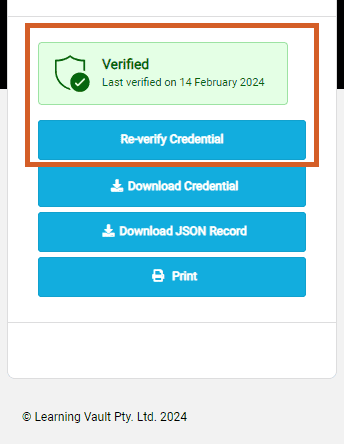
Where to verify on a Personal or Provisional Evidence Record: Verify live example
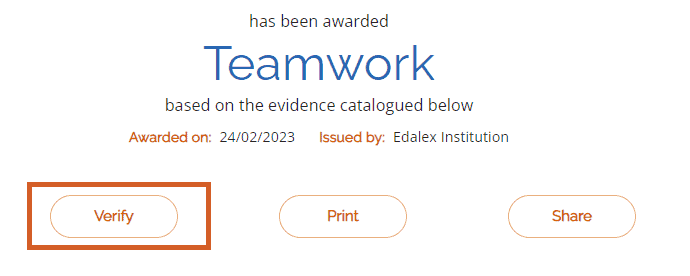
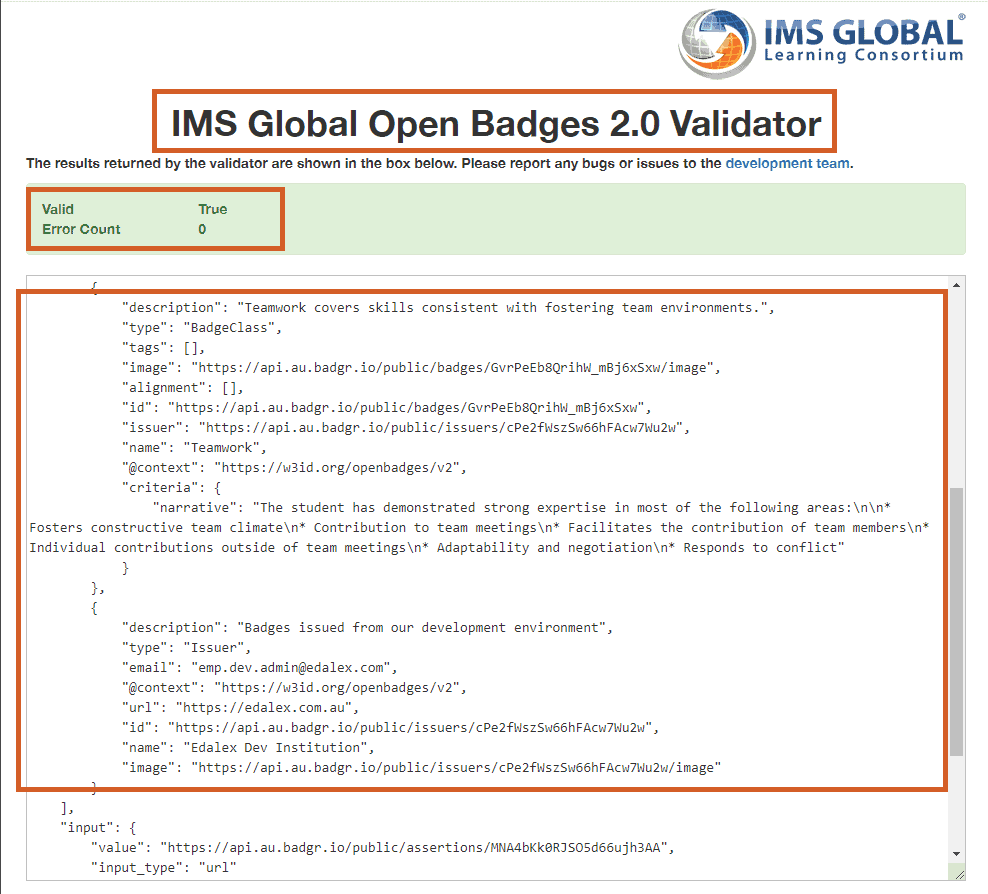
Clicking the Verify button will open a verification file in a new window – this enables you to verify that the digital credential has been issued by the issuer named in the digital credential, and if it is current. Here are three areas to check:
- Who is the validator? Is it verified by a trusted third party or the issuer?
- Is the record marked as Valid or True?
- Check in the record that the title, description and issuer information matches that shown on the digital credential
By checking the above, you can quickly verify whether a digital credential is genuine or not, saving you the time and effort required for manual credential checks. If verified, you can trust the assertions of the achievements included in the digital credential.
An example of a verification record and what to look for (highlighted): Verify live example
What if a Digital Credential Doesn't Include Verification?
The difference between an image and a digital credential, is that an image cannot be verified. It is exactly the metadata and verification record that makes it a digital credential and not just a pretty image of a badge.
If there is no mechanism to verify the credential, or if the verification information presented does not match that shown on the digital credential, then it may be simply an image. (Note: There are digital credentials that are not W3C open standards compliant so cannot be efficiently validated/verified, but are still legitimate. These need an extra layer of investigation/evidence to prove they are legitimate, such as a degree document.)
Accurate Candidate Assessment
Digital credentials provide detailed information about the skills and competencies that candidates have acquired. Employers can use this information to more accurately assess candidates’ qualifications and determine their suitability for specific roles. This can help reduce the time-to-hire.
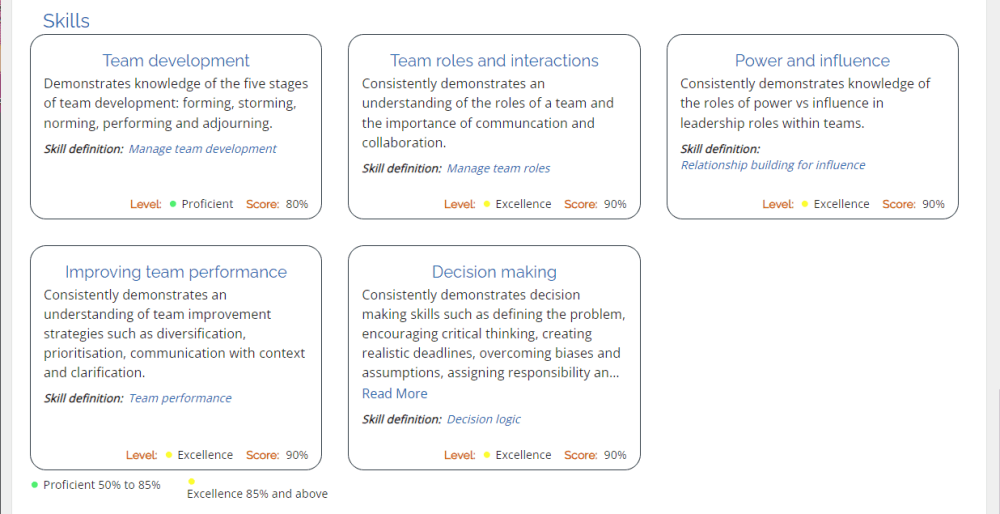
Look for a skills section where a candidate’s skills are highlighted and which may include a description and link to a skill definition in the form of a rich skill descriptor (RSD) – a standardised definition of a skill – or other skill definition record. The skills section may include an indication of the level reached, such as Bronze, Gold or Platinum, and a score, such as 90%.
Where to find the skills section on a Personal or Provisional Evidence Record: View live example
Identification of Specific Skills
Digital credentials often detail specific skills or competencies acquired by the candidate. This allows employers to identify candidates with the specific skills required for a particular role, ensuring a better match between the candidate’s capabilities and the job requirements.
If you click on the skill definition link, the RSD or other skill definition record will open, typically showing skill information, who authored it and what occupations the candidate is eligible to apply for.
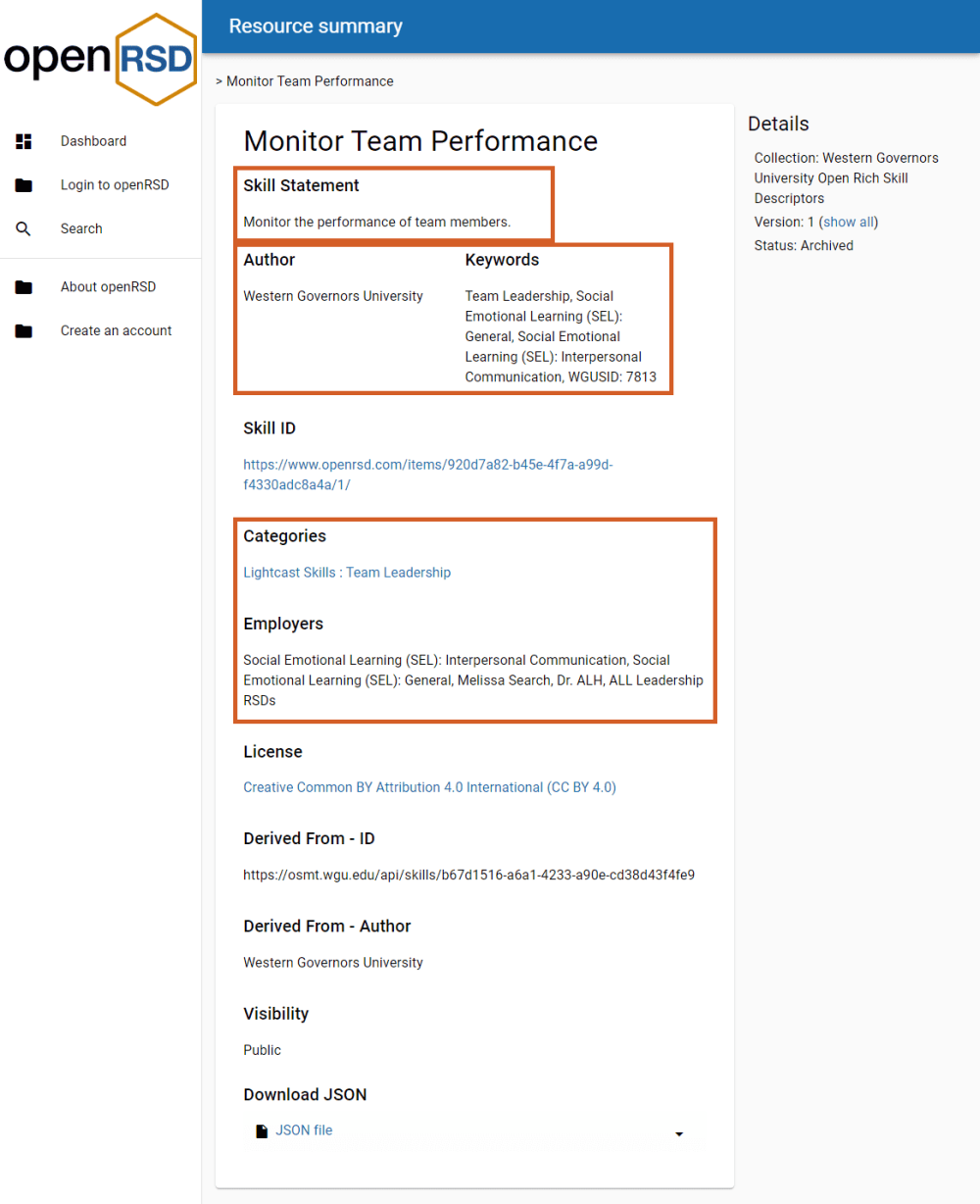
Here are some areas to review in an RSD:
- Skill Statement – a standardised description of the skill. Does it describe the skill required for the role?
- RSD Author – Is it from a trustworthy source or the issuer?
- Keywords – these are other terms the skills could be described as
- Categories – this may include information or links to further skills information
- Employers – these are roles, tasks or occupations relevant to the skill
What an RSD looks like and what to look for (highlighted): View live example
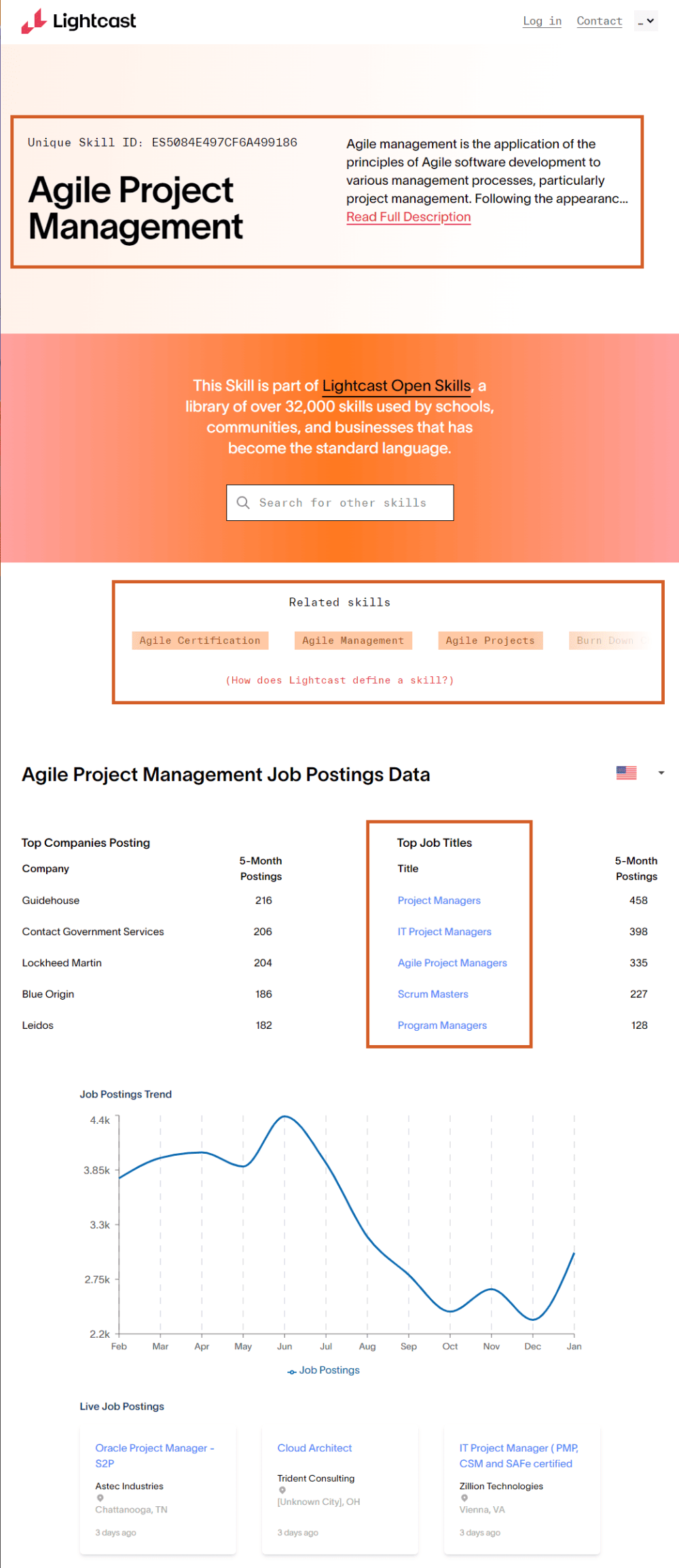
Here are some areas to review in other types of skill definition records – in this instance, a Lightcast Open Skills record:
- Skill Statement – a standardised description of the skill. Does it describe the skill required for the role?
- Related Skills – these are other terms the skills could be described as
- Top Job Titles – these are roles, tasks or occupations relevant to the skill
What a Lightcast Open Skills record looks like and what to look for (highlighted): View live example
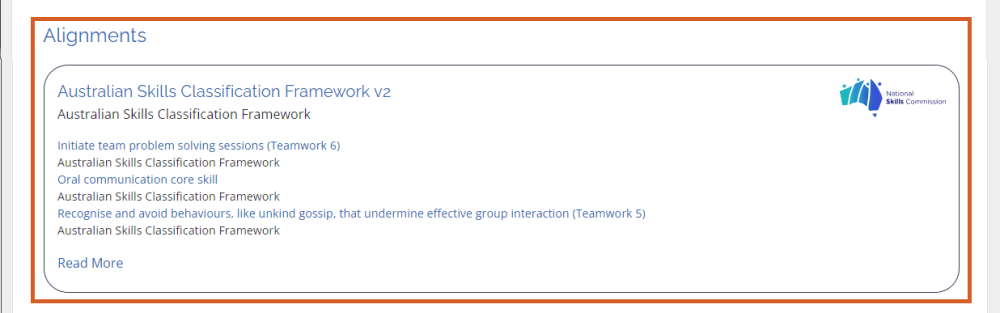
The Alignments section of a Personal or Provisional Evidence Record displays links to frameworks, such as the Australian Skills Classification Framework, which provide further information on the skills learners have attained and at what level.
As employers typically use frameworks when creating job descriptions, candidates can show a direct alignment between their achievements and the role requirements. This can differentiate them in employment discussions and reduce the time-to-hire.
Where to find on a Personal or Provisional Evidence Record: View live example
Other Advantages and Opportunities
Access to Comprehensive Learning Records – employers gain access to a comprehensive record of a candidate’s learning journey, including formal qualifications, certifications, and other achievements. This provides a more holistic view of the candidate’s capabilities and commitment to continuous learning.
Enhanced Candidate Visibility – candidates who integrate digital credentials into their professional profiles or resumes enhance their visibility. Employers can easily access and review these credentials on platforms like LinkedIn, providing additional context about a candidate’s qualifications.
Integration with Applicant Tracking Systems (ATS) – many digital credential platforms allow for integration with ATS, enabling a seamless transfer of credential information into the hiring process. This integration helps employers organise and manage candidate data more efficiently.
Global Talent Assessment – employers can assess candidates from around the world more easily, as digital credentials often adhere to international standards. This is particularly beneficial for companies with global operations or those seeking diverse talent pools.
Reduction of Credential Fraud – the security features embedded in digital credentials, such as cryptographic signatures, help mitigate the risk of credential fraud. Employers can have greater confidence in the authenticity of the presented qualifications.
Alignment with Emerging Technologies – employers can adapt to emerging technologies by embracing digital credentials that utilise advanced technologies. This ensures a higher level of security, immutability, and transparency in the credentialing process.
Book a Skills Chat
If your organisation is interested in offering your learners or employees digital credentials such as those described above, we’d love to speak with you!